
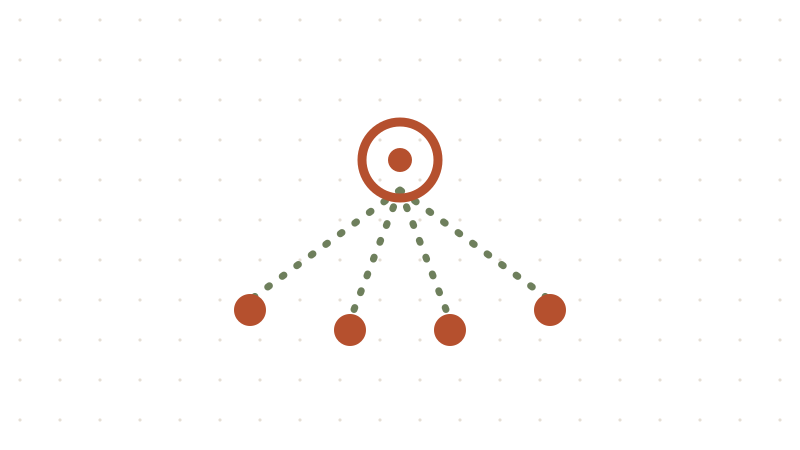
I wanted AI help with the boring parts of running a homelab: patching servers, writing up what I did, and studying for certifications. I didn't want to babysit a chat window on my desktop to get it. So I built a small team of AI agents that lives in one container on my Proxmox server, runs 24/7, and answers me on Discord from my phone.
This post is the big picture: what each piece does, how they connect, and the guardrails that make me comfortable letting an agent near my servers. You don't need my exact hardware to follow it. Any always-on Linux box will do.
What it does
I message one "chief of staff" agent. It answers small questions itself and hands bigger jobs to a specialist:
| Agent | Job |
|---|---|
| Orchestrator | Plans, delegates, checks the specialists' work, reports back in a few lines |
| Homelab | Inspects and patches my servers with Ansible, always as plan → dry run → apply after I approve |
| Blog | Turns my notes into draft posts on a Git branch. Nothing goes live until I merge it |
| Study coach | Quizzes and teaches me for IT certifications (CCNA right now) |
| Librarian | Maintains a shared wiki that every other agent reads |
A few real examples of messages I send:
- "Run a read-only health check on both servers and tell me what needs patching."
- "Draft a beginner post from my notes on Authelia."
- "Quiz me on OSPF, 10 questions."
The stack
- Hermes Agent by Nous Research. It's the agent runtime: memory, tools, scheduled jobs, and a Discord gateway. Its profiles feature gives each agent its own config, model, keys and personality file (
SOUL.md). - Open-weight models through DeepInfra. Hermes talks to any OpenAI-compatible API, so you can swap in another provider.
- Tavily for web search, so agents look things up instead of guessing.
- Ansible for anything that changes a server.
- GitHub + Cloudflare Workers for the blog, with a preview build for every draft branch.
- Obsidian to read and approve the shared wiki.
Total model cost for my usage is roughly $14–17 a month (November 2026 prices). The container itself costs nothing extra.
How the pieces fit
You (Discord, phone or PC)
        │  chat + approve risky commands
        ▼
┌──────────── Always-on Linux container ────────────┐
│  Orchestrator ──delegates──► Homelab ──SSH──► "ops" user ──Ansible──► servers
│                         ├──► Blog ──git push──► draft branch ──► preview build
│                         ├──► Study coach
│                         └──► Librarian ──writes──► shared wiki (others read only)
└───────────────────────────────────────────────────┘
        │ model calls (HTTPS)            │ web search
        ▼                                ▼
   Model provider API                 Search API
Step 1: Give it an always-on home
I use an unprivileged Debian LXC on Proxmox: 2 cores, 4 GB RAM, 32 GB disk, a static IP, and Start at boot turned on. The models run at the provider, so the container doesn't need much. A small VM, a Raspberry Pi or an old mini PC would work just as well.
Two habits before going further:
- Back up the container on a schedule, and snapshot it before every update.
- Use plain user accounts. Hermes runs as an unprivileged user with no
sudo.
Step 2: Install Hermes and connect a model provider
Install Hermes as that user, then point it at your provider. For DeepInfra, that's a "custom endpoint" at https://api.deepinfra.com/v1/openai in Chat Completions mode. The parts of ~/.hermes/config.yaml that matter:
model:
  default: your-orchestrator-model
  provider: custom
  base_url: https://api.deepinfra.com/v1/openai
  api_key: ${DEEPINFRA_API_KEY}   # the real key lives in ~/.hermes/.env
  api_mode: chat_completions
  max_tokens: 16384               # without this, replies can get cut off
approvals:
  mode: manual                    # ask before dangerous commands
  cron_mode: deny                 # scheduled jobs can never run them
Two lessons I learned the hard way:
- Change a setting with
hermes config setor a text editor, not both. Mixing them left me with twoapi_key:lines and a config that wouldn't load. - Edit the config only while Hermes is stopped, because a running Hermes can overwrite it.
Step 3: One profile per agent, one cheap model per job
hermes profile create homelab --clone
hermes profile create blog --clone
hermes profile create study --clone
homelab config set model.default your-cheap-agentic-model
The expensive, smartest model goes only on the orchestrator, because it mostly plans and writes short briefs. The specialists run fast, cheap models built for tool use. I give each agent its own API key, so the provider's usage page shows what each one costs.
Each agent's SOUL.md sets its rules. The orchestrator's most important rule: subagents know nothing about our chat, so every task must include the full goal, facts, paths and what "done" looks like.
To let the orchestrator choose a specialist per task, I use Hermes's advanced-delegation plugin in profile routes mode. Each route gets a one-line description, and that description is all the orchestrator sees, so keep it specific.
Step 4: Put it on Discord
Hermes's gateway connects each profile to its own Discord bot, all from one service. My setup:
- A private server with
#hermes(orchestrator),#study(study coach) and#wiki(librarian). - Each bot: Public Bot off, Install Link set to None, and Message Content Intent turned on (without it the bot goes online but never reads messages).
DISCORD_ALLOWED_USERSset to only my user ID. Anyone who can talk to the bot can ask it to touch your servers.DISCORD_FREE_RESPONSE_CHANNELSso each bot answers in its own channel without being @mentioned.- Linger enabled for the Hermes user (
loginctl enable-linger) so the service survives logouts and reboots.
When an agent wants to run something risky, Discord shows approve/deny buttons. That's my main safety switch.
Step 5: The homelab agent, behind a wall
This is the agent that can actually break things, so it gets the most guardrails:
- A second user account inside the container (I call it
ops). Hermes's SSH terminal backend logs into it over localhost.opsholds the Ansible key and the infrastructure repo. Hermes's own home folder ischmod 700, so the agent's shell can't read the API keys or bot tokens. - A dedicated
ansibleuser on each server, whose key only works from the container's IP (from="<container-ip>"inauthorized_keys). - Rules in its
SOUL.md: inspect, plan, show the diff, dry run (ansible-playbook --check --diff), apply only after I approve, verify, commit to git. Patch one host at a time. Never reboot or change firewall rules without asking. Read the official docs before changing software. - It stops and asks me to snapshot a VM before upgrades, then reminds me to delete the snapshot afterwards. It has no access to Proxmox itself, on purpose.
Routine security patches don't need an agent at all. unattended-upgrades handles those, and the agent does the judgment work: big upgrades, config changes, troubleshooting, and a weekly health report.
Step 6: The blog agent can draft, but never publish
My blog is a static site built from Markdown and hosted on Cloudflare Workers. The flow:
- I ask for a post. The agent writes it from my notes on a
draft/<slug>branch and pushes. - Cloudflare builds a private preview of that branch.
- I read the preview on my phone, then merge the pull request. That's the only way anything goes live.
What enforces it: a GitHub ruleset on main (pull request required, no force pushes) and a deploy key that only works for that one repo. One gotcha: free GitHub accounts only enforce rulesets on public repos.
A BLOG.md file in the repo tells the agent where posts go, which front matter to use, and the publishing rules. Its SOUL.md adds: scan for secrets before committing, verify every config snippet against official docs, and never invent facts.
Step 7: The study coach
The study agent coaches any certification, not just one. It keeps its progress in plain files, one folder per cert: objectives with a mastery score, an error log, and a study plan. It uses well-established techniques: retrieval first, spaced repetition, mixing topics, and asking how confident I was before revealing the answer.
It has its own Discord bot, so I can run quick quiz sessions from my phone. For flashcards, I use Anki directly (the free AnkiWeb site works fine on a phone), and let the bot do what Anki can't: teaching, labs, scenario questions and mock exams.
Step 8: A shared wiki, so the agents stop starting from scratch
Each agent has its own small memory, but they don't share it. The orchestrator has to re-explain context every time it delegates. The fix is an LLM wiki: linked Markdown pages that one agent writes and every agent reads.
The pattern comes from Andrej Karpathy's LLM wiki gist, and Hermes ships it as an official skill (llm-wiki). I borrowed a few ideas from Wanderloots, mainly keeping your own notes and the AI's pages in separate vaults, and checking the wiki with a script instead of trusting the model.
How mine works:
- One writer. A "librarian" agent is the only one allowed to edit the wiki. It runs as its own Linux user, so the other agents can't write there, not just shouldn't. They drop notes into an
inbox/folder instead. - Three layers.
raw/holds sources and is never edited. The wiki pages are written by the librarian. A schema file holds the rules. - My notes stay mine. A one-way
rsynccopies the folders I choose from my Obsidian vault to the server. Agents read that copy but can never touch my vault. - I approve pages. Every page has
status: draftorstatus: reviewed. I clone the wiki with git, open it as a second Obsidian vault, and flipstatustoreviewedwhen a page is right. My push is the only way a page gets approved. - A script guards every commit. It's plain Python run as a git pre-commit hook, and it blocks broken links, pages without a source, edits to filed sources, likely secrets, and any attempt by the agent to mark its own work as reviewed. If a reviewed page changes, it must drop back to draft.
Here's the script. Drop it in tools/wiki_check.py in the wiki repo and add a pre-commit hook that runs python3 tools/wiki_check.py --staged:
#!/usr/bin/env python3
"""Deterministic checks for the LLM wiki. Run before every commit.
   python3 tools/wiki_check.py            check the whole wiki
   python3 tools/wiki_check.py --staged   also check what is about to be committed"""
import pathlib, re, subprocess, sys

ROOT = pathlib.Path(__file__).resolve().parent.parent
PAGE_DIRS = ["entities", "concepts", "comparisons", "queries"]
REQUIRED = ["title", "created", "updated", "type", "tags", "sources", "status"]
SECRET = re.compile(r"BEGIN [A-Z ]*PRIVATE KEY|github_pat_\w{20,}|ghp_\w{20,}|tvly-\w{16,}"
                    r"|(?i:api[_-]?key|token|secret|password)\s*[:=]\s*['\"]?[A-Za-z0-9_\-./+]{20,}")
errors = []

def split(text):
    """Return (frontmatter dict, body). Values stay as raw strings."""
    m = re.match(r"---\n(.*?)\n---\n?(.*)", text, re.S)
    if not m:
        return {}, text
    fm = {}
    for line in m.group(1).splitlines():
        k = re.match(r"([A-Za-z_]+):\s*(.*)", line)
        if k:
            fm[k.group(1)] = k.group(2).strip().strip("'\"")
    return fm, m.group(2)

def git(*args):
    r = subprocess.run(["git", "-C", str(ROOT), *args], capture_output=True, text=True)
    return r.stdout if r.returncode == 0 else None

pages = [p for d in PAGE_DIRS for p in sorted((ROOT / d).glob("**/*.md"))]
names = {p.stem.lower() for p in ROOT.glob("**/*.md") if ".git" not in p.parts}
index = (ROOT / "index.md").read_text() if (ROOT / "index.md").exists() else ""
indexed = {t.split("/")[-1].lower() for t in re.findall(r"\[\[([^\]|#]+)", index)}

for p in pages:
    rel = p.relative_to(ROOT)
    fm, body = split(p.read_text())
    for key in REQUIRED:
        if key not in fm:
            errors.append(f"{rel}: frontmatter is missing '{key}'")
    if fm.get("status") not in (None, "draft", "reviewed"):
        errors.append(f"{rel}: status must be draft or reviewed")
    for target in re.findall(r"\[\[([^\]|#]+)", body):
        if target.split("/")[-1].strip().lower() not in names:
            errors.append(f"{rel}: broken link [[{target}]]")
    for src in re.findall(r"\^\[(raw/[^\]]+)\]", body):
        if not (ROOT / src).exists():
            errors.append(f"{rel}: source {src} does not exist")
    if rel.parts[0] != "queries" and "raw/" not in p.read_text():
        errors.append(f"{rel}: no raw/ source listed")
    if index and p.stem.lower() not in indexed:
        errors.append(f"{rel}: not listed in index.md")

if "--staged" in sys.argv:
    for line in (git("diff", "--cached", "--name-status") or "").splitlines():
        status, path = line.split("\t")[0], line.split("\t")[-1]
        if path.startswith("raw/") and status[0] in "MDR":
            errors.append(f"{path}: files in raw/ are immutable (add new files, never change old ones)")
        if not path.endswith(".md") or status[0] == "D":
            continue
        new = git("show", f":{path}") or ""
        old = git("show", f"HEAD:{path}") or ""
        (nf, nb), (of, ob) = split(new), split(old)
        if nf.get("status") == "reviewed" and of.get("status") != "reviewed":
            errors.append(f"{path}: only a human sets status: reviewed")
        if nf.get("status") == "reviewed" and of.get("status") == "reviewed" and nb != ob:
            errors.append(f"{path}: a reviewed page changed; set status back to draft")
    for line in (git("diff", "--cached", "-U0") or "").splitlines():
        if line.startswith("+") and not line.startswith("+++") and SECRET.search(line):
            errors.append(f"possible secret in staged change: {line[1:60]}...")

for e in errors:
    print("FAIL", e)
print(f"{len(pages)} pages checked, {len(errors)} problem(s)")
sys.exit(1 if errors else 0)
Turn the hook on with git config core.hooksPath .githooks on the server only. Git doesn't copy that setting when you clone, so the copy on your PC skips the hook. That's what lets you mark pages reviewed while the agent can't.
The wiki costs more per question than a plain search, because the agent reads an index and several pages. The payoff is knowledge that builds up instead of being rediscovered. Start with one narrow topic, ingest one source at a time, and read every page it writes until you trust it.
Guardrails, all in one place
- Dangerous commands need approval in Discord; scheduled jobs can't run them at all.
- Each agent's shell runs as an account that can't read API keys or bot tokens.
- Only one account can reach the servers, and its key only works from the container.
- No agent can touch the hypervisor.
- The blog agent can push drafts but can't publish.
- Only one agent writes the wiki, and only a human approves its pages.
- Secrets live only in
.envfiles, never in git, configs or chat. If one leaks into a chat, rotate it. - A spending limit is set at the model provider.
What I'd tell you before you start
- Start with one agent. Get the orchestrator answering on Discord first, then add specialists one at a time.
- Delegated tasks are slow. A simple handoff can take 1–3 minutes when the orchestrator thinks hard before and after. That's normal.
- Write the rules down. Most of the agents' good behaviour comes from a few clear lines in
SOUL.mdand aBLOG.md-style file in each repo. - Make the safe path the easy path. Separate user accounts, branch protection and a pre-commit script are more reliable than asking a model to behave.